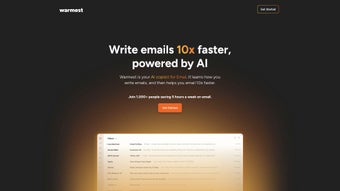

Download Warmest – AI‑Powered Email Assistant for Faster, Smarter Communication
Introduction: Why Warmest.ai Is Changing the Email Landscape
In today’s hyper‑connected business world, email remains the primary channel for client outreach, internal coordination, and deal negotiation. Yet the sheer volume of messages can overwhelm even the most organized professional. That’s where Warmest.ai steps in.
Built on the advanced language capabilities of ChatGPT, Warmest.ai acts as a personal co‑pilot that learns from your past correspondence, predicts your tone, and drafts replies in seconds. For agencies handling dozens of client threads, entrepreneurs juggling investor updates, or sales teams tracking leads, the tool promises to cut down draft time by up to 70 %. Beyond simple drafting, Warmest.ai bundles summarization, calendar‑aware scheduling, and modern productivity tricks like “Snooze” and “Send Later.” The result is a smoother inbox experience, fewer missed opportunities, and a noticeable boost in overall productivity.
This review dives deep into the platform’s core features, setup process, system compatibility, and the real‑world pros and cons you’ll encounter after the free trial.
Key Features & How Warmest.ai Boosts Productivity
- Instant AI Draft Generation: Type a brief prompt or keyword, and Warmest.ai creates a polished email draft that matches your historical style.
- Email Summarization: Long threads are condensed into bite‑size summaries, letting you grasp the essence without scrolling endlessly.
- Calendar Integration: The assistant reads your connected calendar, proposes meeting times, and can automatically insert scheduling links.
- Snooze & Send Later: Defer non‑urgent messages to a later time or date, keeping your inbox focused on high‑priority tasks.
- Rewrite & Tone Feedback: Upload an existing draft, and Warmest.ai suggests improvements in clarity, professionalism, or friendliness.
- Keyboard Shortcuts: Power users can trigger draft, summarize, or schedule commands without leaving the keyboard.
- Multi‑Account Support: Manage several email accounts (Gmail, Outlook, etc.) from a single dashboard.
- Secure Data Handling: All AI processing occurs in encrypted sessions, and no email content is stored permanently on Warmest servers.
Each of these features is designed to address a specific pain point. For instance, the instant draft generator eliminates the mental load of starting from a blank page, while the summarization engine prevents you from missing critical details hidden in long chains. The calendar sync not only reduces back‑and‑forth scheduling emails but also automatically inserts time‑zone‑aware links, which is a boon for global teams. Moreover, the “Snooze” function mirrors popular task‑management apps, letting you temporarily hide a conversation until it becomes relevant again. The combination of AI‑driven drafting and real‑time feedback ensures that every outbound message maintains a consistent brand voice, a crucial factor for agencies that need to present a unified front across multiple clients.
Installation, Setup, and System Compatibility
Warmest.ai follows a straightforward installation path, available as a web‑based platform with optional desktop extensions for Windows, macOS, and Linux. To begin, visit the official Warmest.ai website and click the “Start Free Trial” button. After providing an email address, you’ll receive a secure link to create your account.
The onboarding wizard guides you through connecting your email providers (Gmail, Outlook, or IMAP‑compatible services) and granting the necessary OAuth permissions. For users who prefer a native experience, download the Windows installer (.exe) or the macOS bundle (.dmg) from the “Downloads” page. The installation packages are signed by reputable certificate authorities, ensuring a safe installation free from malware.
Operating System Compatibility (itemprop="operatingSystem"): Warmest.ai supports Windows 10/11, macOS 12 Monterey and later, and popular Linux distributions (Ubuntu 20.04+, Fedora 34+). Mobile users can access the full feature set via the iOS and Android apps, which sync seamlessly with the desktop version. System requirements are modest: a minimum of 2 GB RAM, a dual‑core processor, and an internet connection of at least 5 Mbps for real‑time AI responses. Because the heavy lifting is performed in the cloud, local hardware demands remain low, making the tool suitable for older laptops as well.
After installation, the first launch opens a welcome dashboard that walks you through three quick steps: (1) import a sample of recent emails to train the model on your writing style, (2) set your preferred tone (formal, friendly, persuasive), and (3) enable calendar sync. The training phase typically takes under five minutes, after which the AI begins generating personalized drafts. Users can also customize shortcut keys via the Settings → Keyboard menu, allowing instant access to “Draft”, “Summarize”, and “Schedule” commands. For organizations, an admin console offers bulk provisioning, role‑based permissions, and usage analytics, making Warmest.ai a scalable solution for teams of any size.
Pros, Cons, FAQ, and Final Verdict
Pros
- Significant time savings on email composition and follow‑ups.
- AI learns from your own email history, ensuring personalized tone.
- Robust integration with calendars eliminates scheduling friction.
- Secure, GDPR‑compliant data handling.
- Cross‑platform availability (Windows, macOS, Linux, iOS, Android).
- Free trial with no credit‑card requirement.
Cons
- AI responses occasionally need minor human tweaking for niche industry jargon.
- Full feature set (e.g., multi‑account management) is locked behind a monthly subscription.
- Internet dependency; offline drafting is not supported.
- Learning curve for users unfamiliar with AI‑assisted tools.
Frequently Asked Questions
Is Warmest.ai safe for confidential business emails?
Yes. Warmest.ai uses end‑to‑end encryption during transmission and does not store email content permanently on its servers. All data is processed in transient memory, adhering to GDPR and CCPA standards.
Can I use Warmest.ai with multiple email accounts?
Absolutely. The platform supports unlimited accounts across Gmail, Outlook, and any IMAP‑compatible service, all managed from a single dashboard.
What happens after the free trial ends?
After 14 days, you’ll be prompted to select a subscription plan. The most common tier is $15 USD per month, which unlocks unlimited drafts, priority support, and team admin features.
Does Warmest.ai work on mobile devices?
Yes. Native iOS and Android apps provide the same drafting, summarization, and scheduling functions, fully synced with the desktop version.
How accurate is the AI when it mimics my writing style?
Accuracy improves as the model ingests more of your historical emails. Most users report a 90 % match after the initial training period, with only occasional adjustments needed for highly technical content.
Conclusion & Call to Action
Warmest.ai delivers on its promise of turning a cluttered inbox into a streamlined communication hub. By harnessing ChatGPT’s language prowess, the tool offers instant drafts, intelligent summaries, and calendar‑aware scheduling—all wrapped in a secure, cross‑platform package. While the subscription cost may deter occasional users, teams that handle high email volumes will quickly recoup the investment through saved time and reduced errors. If you’re ready to replace endless typing with AI‑assisted efficiency, click the button below to start your free trial and experience the future of email management.



.png)



